Route your app's LLM calls through the gateway
What you'll build: one OpenAI-compatible endpoint that fronts your provider. You'll register a credential and a model, verify it live in the Playground, then call it from code. Switching providers later becomes a config change, not a code change.
1. Add a provider credential
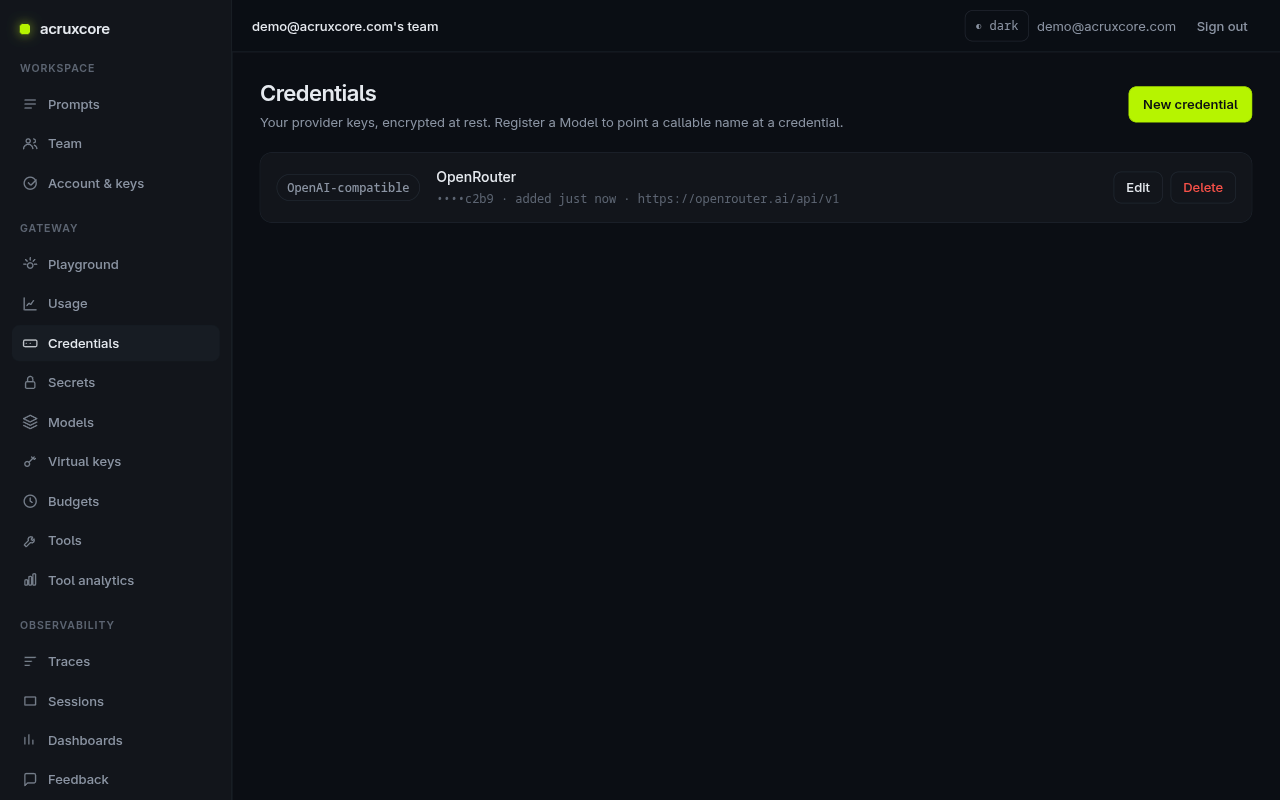
Go to Gateway → Credentials → New credential. Acrux Core is BYOK — you bring your own provider key and it's encrypted at rest (only the last four characters are ever shown again).
Pick a provider: openai, anthropic, gemini, or OpenAI-compatible. This
guide uses OpenAI-compatible with OpenRouter, which needs
a Base URL of https://openrouter.ai/api/v1.
2. Register a model
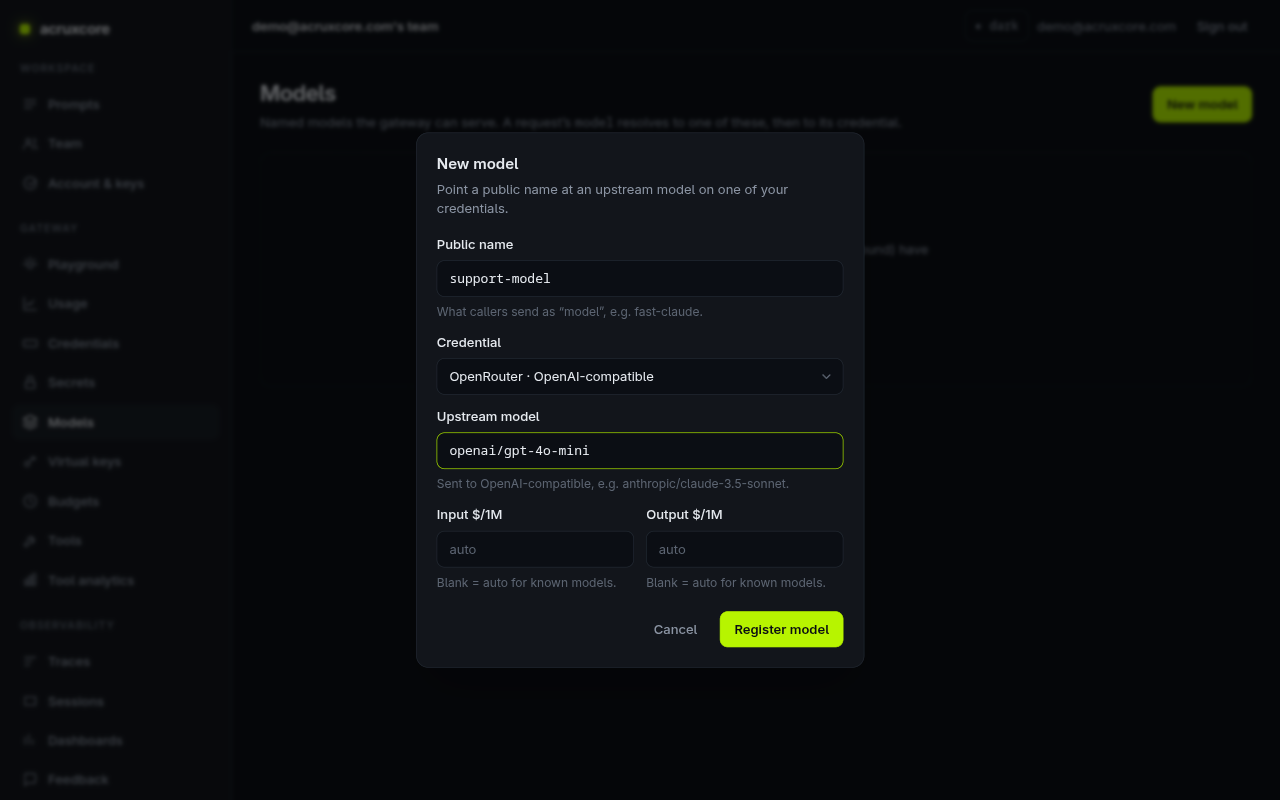
A model is a public name callers use as model. It points at a credential and
an upstream model id — so you can rename or re-point the upstream without breaking
callers.
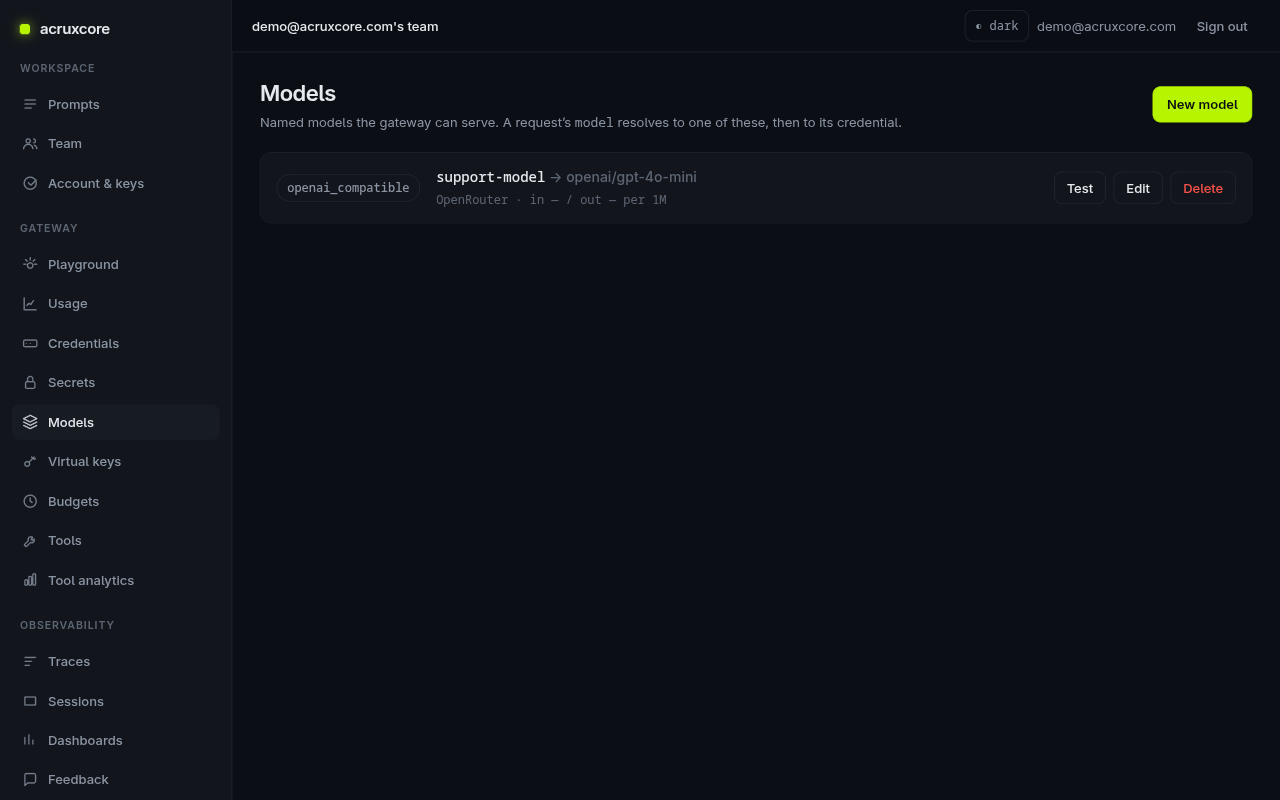
Gateway → Models → New model. Set Public name to support-model, choose
your credential, and set Upstream model to openai/gpt-4o-mini.
3. Test it in the Playground
Gateway → Playground sends a real completion and shows live telemetry —
provider, resolved upstream model, cache hit/miss, latency, and token counts. Pick
support-model, type a message, and click Send completion.
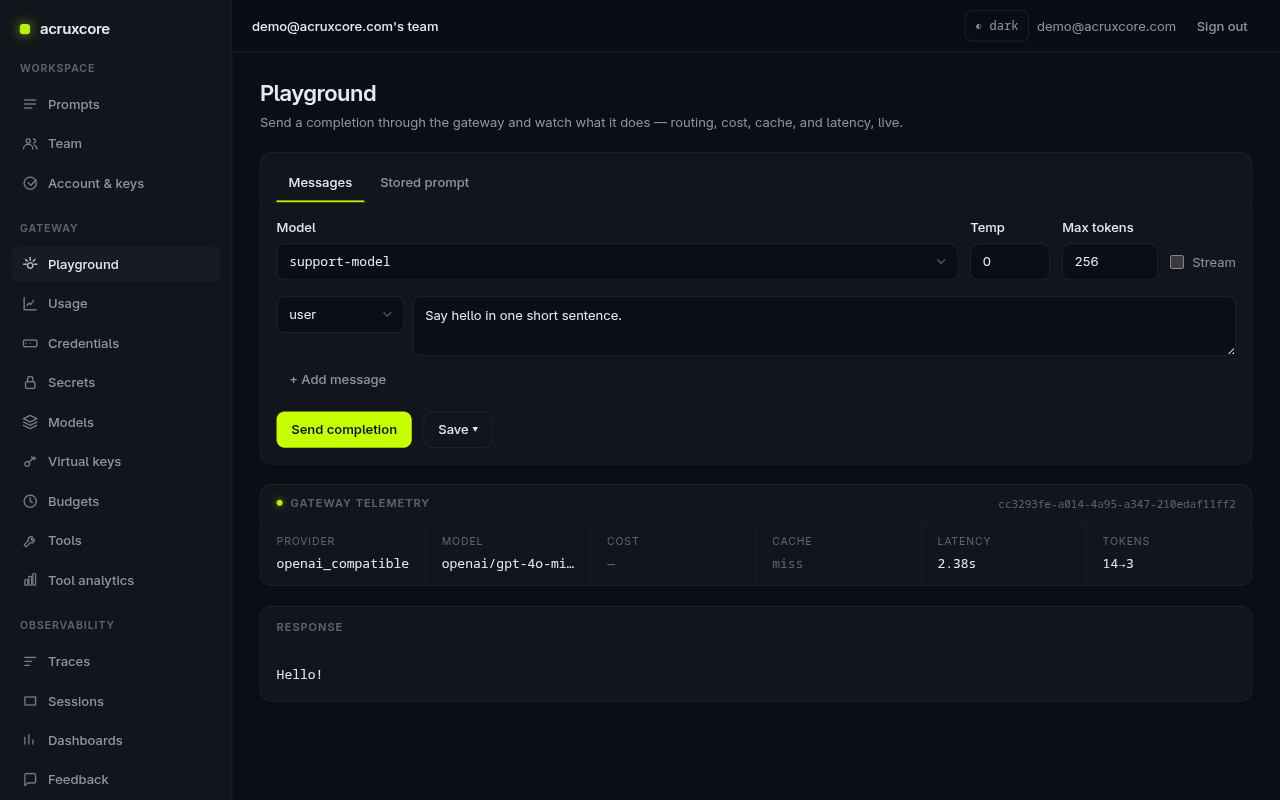
The Gateway telemetry panel confirms the request hit openai/gpt-4o-mini
through the openai_compatible provider, and links to the trace it recorded.
4. Call it from code
The endpoint is POST /gateway/chat/completions and it speaks the OpenAI
chat-completions shape. Send model: "support-model" plus either raw messages
or a prompt reference (see Version a prompt).
- curl
- Node (SDK)
- Python (openai)
- Python (requests)
curl -X POST "$ACRUXCORE_BASE_URL/gateway/chat/completions" \
  -H "Authorization: Bearer $ACRUXCORE_API_KEY" \
  -H "Content-Type: application/json" \
  -d '{
    "model": "support-model",
    "messages": [{"role":"user","content":"Say hi in three words."}],
    "max_tokens": 20
  }'
import AcruxCore from '@acruxcoreai/sdk';

const hub = new AcruxCore();

const { content } = await hub.chat({
  model: 'support-model',
  messages: [{ role: 'user', content: 'Say hi in three words.' }],
  maxTokens: 20,
});
console.log(content);
chat() is a single request/response call — see
chat, stream, and collect feedback with the SDK
for streaming and for runToolLoop, the SDK's traced tool-calling loop.
import os
from openai import OpenAI

# Point the official OpenAI client at the Acrux Core gateway.
client = OpenAI(
    api_key=os.environ["ACRUXCORE_API_KEY"],
    base_url=os.environ["ACRUXCORE_BASE_URL"] + "/gateway",
)

resp = client.chat.completions.create(
    model="support-model",
    messages=[{"role": "user", "content": "Say hi in three words."}],
    max_tokens=20,
)
print(resp.choices[0].message.content)
import os, requests

base, key = os.environ["ACRUXCORE_BASE_URL"], os.environ["ACRUXCORE_API_KEY"]
resp = requests.post(
    f"{base}/gateway/chat/completions",
    headers={"Authorization": f"Bearer {key}"},
    json={
        "model": "support-model",
        "messages": [{"role": "user", "content": "Say hi in three words."}],
        "max_tokens": 20,
    },
)
print(resp.json()["choices"][0]["message"]["content"])
Calling without a model name
If a prompt version has a bound default model, a stored-prompt call can omit
model entirely and the gateway resolves it. Precedence: an explicit request
model wins → else the version's bound model → else 400 model is required.
curl -X POST "$ACRUXCORE_BASE_URL/gateway/chat/completions" \
  -H "Authorization: Bearer $ACRUXCORE_API_KEY" \
  -H "Content-Type: application/json" \
  -d '{"prompt":{"name":"support-reply","alias":"production","variables":{"company":"Acme","customer_message":"Where is my order?"}}}'
What's next
- Every call here was recorded — go trace and inspect one.
- Cap spend with Budgets and share access with Virtual keys (see the API Reference).
- Give the model actions to take: build and attach a tool.
- Stream responses, run a traced tool-calling loop, and record feedback from Node: chat, stream, and collect feedback with the SDK.