Build and attach a tool
What you'll build: a get_weather tool, attached to your support-reply
prompt, driven by the SDK's tool-calling loop — so the model can ask for live data
and you supply it.
1. Create the tool
Go to Gateway → Tools → New tool. Name it get_weather and give it a
description (the model sees this as the tool's summary). Like prompts, a tool is a
container for immutable versions.
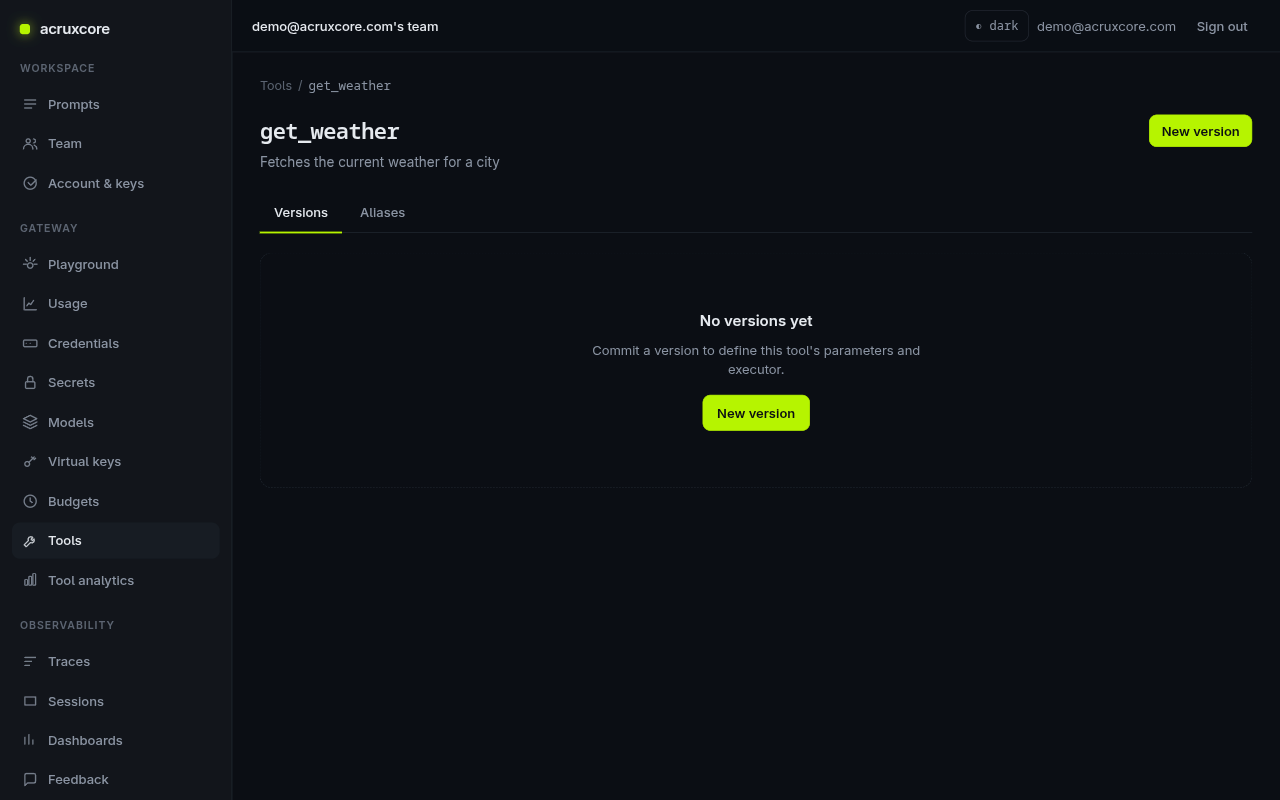
2. Commit a version
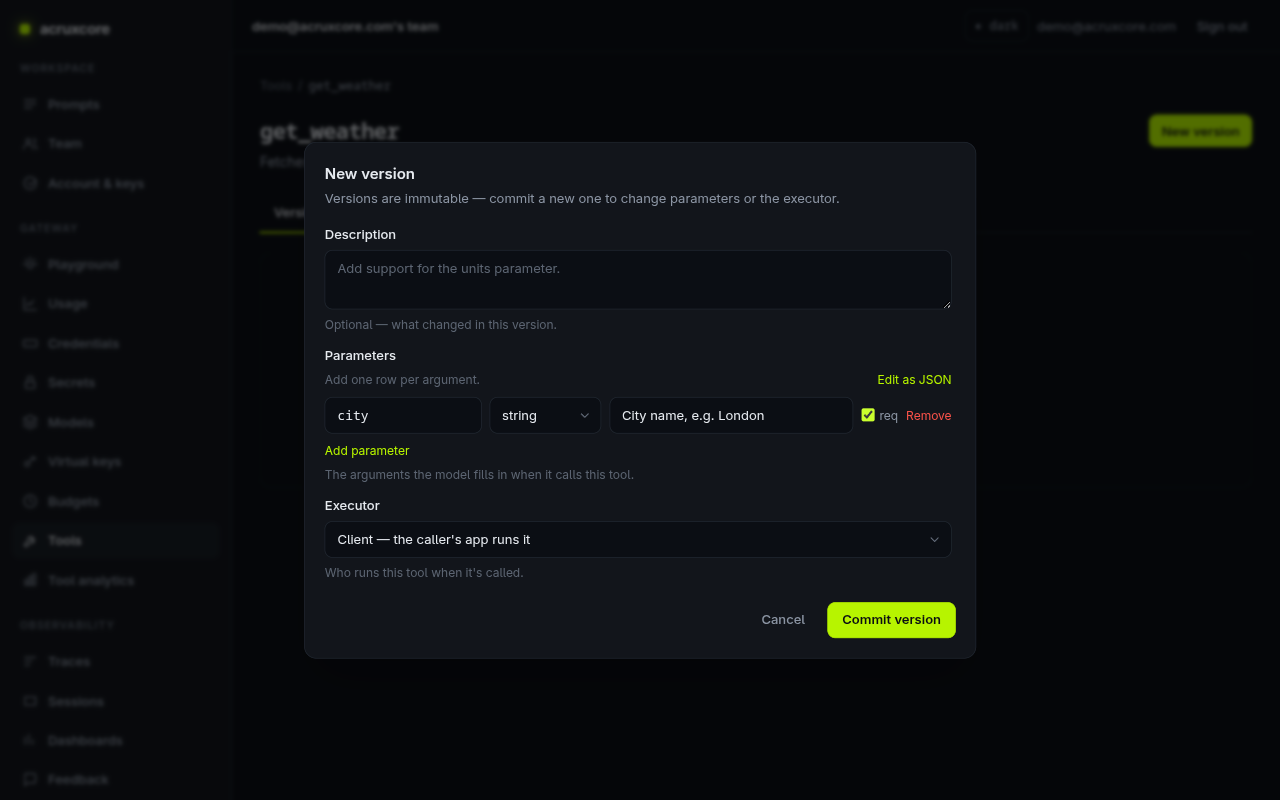
Click New version. Define the parameters the model fills in, and choose an executor:
- Client — your app runs the tool and returns the result (used here; the SDK handles the round-trips).
- HTTP — the gateway calls a URL you declare.
Add a required city string parameter, keep the executor on Client, and
Commit version.
3. Attach it to a prompt
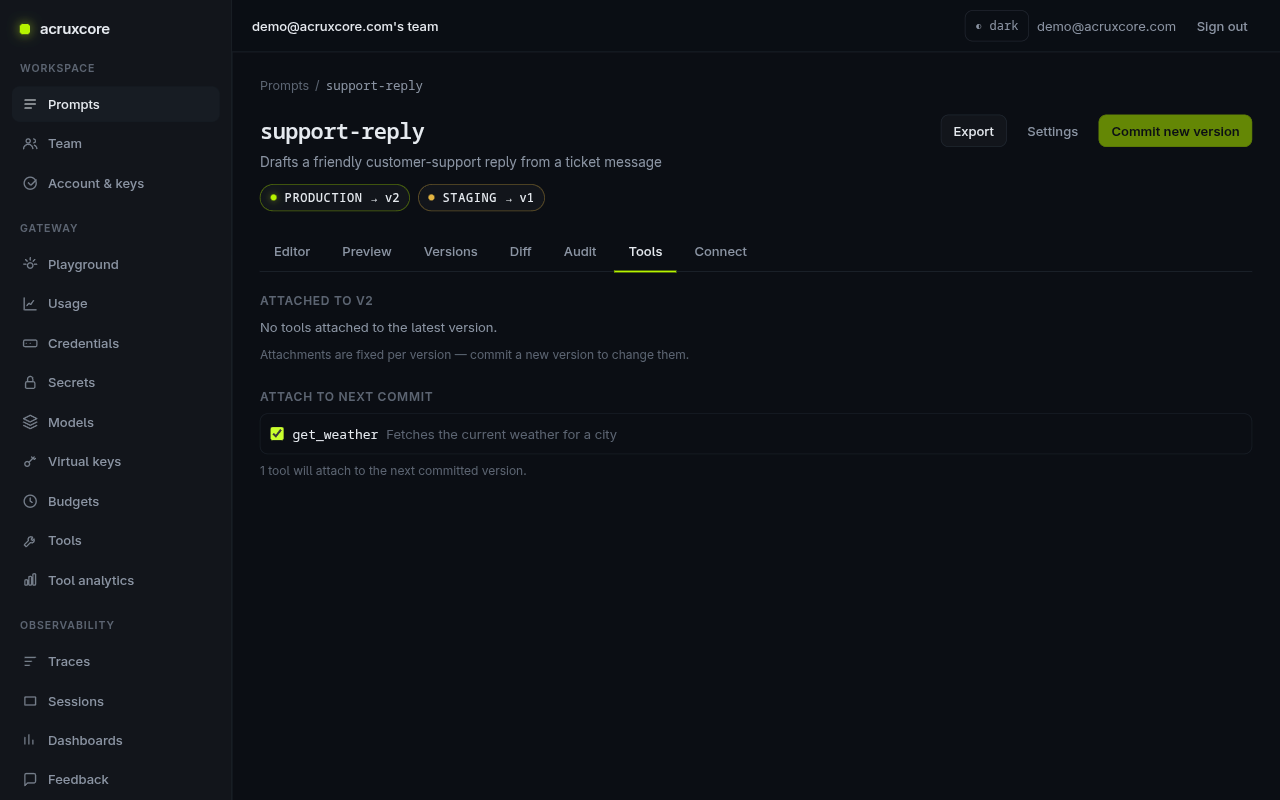
Open your support-reply prompt and go to the Tools tab. Attachments are
fixed per version, so check get_weather under Attach to next commit, then
commit a new prompt version. That version now carries the tool.
Now renderPrompt returns the tool alongside the messages:
const { messages, tools } = await hub.renderPrompt('support-reply', 'production', {
  company: 'Acme',
  customer_message: 'What is the weather in London?',
});
// tools now contains the get_weather function definition
4. Run the tool-calling loop
runToolLoop does the full cycle for you: it calls the model, hands any
tool_calls to your dispatch function, appends the results, and repeats until
the model stops calling tools. Reference an attached tool by name with toolRefs,
or pass raw OpenAI-shaped tools inline.
- Node (SDK)
- curl
import AcruxCore from '@acruxcoreai/sdk';

const hub = new AcruxCore();

const result = await hub.runToolLoop({
  model: 'support-model',
  messages: [{ role: 'user', content: 'What is the weather in London right now?' }],
  toolRefs: [{ name: 'get_weather' }], // resolve the attached tool by name
  dispatch: async (name, args) => {
    // Your real implementation runs here. `args` is the model's JSON arguments.
    if (name === 'get_weather') {
      return { city: args.city, tempC: 18, summary: 'Cloudy' };
    }
    return null;
  },
});

console.log(result.content);
// → "The current weather in London is 18°C and cloudy."
console.log(result.iterations); // 2 (one tool round-trip, then the final answer)
The gateway accepts tool_refs and returns the model's tool_calls; you run each
tool and post the results back. runToolLoop (Node) automates this — raw HTTP is
shown for completeness.
# First turn — the model responds with tool_calls
curl -X POST "$ACRUXCORE_BASE_URL/gateway/chat/completions" \
  -H "Authorization: Bearer $ACRUXCORE_API_KEY" \
  -H "Content-Type: application/json" \
  -d '{
    "model": "support-model",
    "messages": [{"role":"user","content":"What is the weather in London right now?"}],
    "tool_refs": [{"name":"get_weather"}]
  }'
# → choices[0].message.tool_calls = [{ id, function: { name: "get_weather", arguments: "{\"city\":\"London\"}" }}]
# Append a {"role":"tool","tool_call_id":"<id>","content":"{\"tempC\":18,\"summary\":\"Cloudy\"}"} message
# and POST again to get the final answer.
What's next
- Watch tool usage in Gateway → Tool analytics.
- Tools are versioned and aliased exactly like prompts — see Tools, Tool versions, and Tool execute in the API Reference.
- Measure whether a tool improved answers: evaluate a prompt.